Does Your WordPress Site Need to Be Rescued?
Are you locked out? Are customizations breaking? Has your WordPress developer disappeared?


At some point, your WordPress site seemed to be working just fine, and now it isn’t. Maybe you’re able to make certain updates, but customizations aren’t working, or parts of pages are failing to load. Perhaps you’re locked out completely because the designer or developer who put the site together has disappeared. Service provider turnover is responsible for a huge portion of WordPress CMS sites that need rescuing.
Another major driver of website rescues is the simple passing of time. Web technologies change over time, and eventually that change becomes great enough to break something or create a risk that wasn’t there before. The moving parade of change affects all web platforms, but because of WordPress’ popularity with small businesses, active maintenance is not always in place.
The “If it ain’t broke, don’t fix it” philosophy might apply to a screen door that shuts well enough, but it’s dangerous guidance when it comes to websites. If no one has given the site a security or health check in a while, it may look ok, but odds are it’s slow-loading, it may not work great on mobile (which Google penalizes in rankings), and there are potentially serious security gaps.
The good news is that rescuing a WordPress site is not the same thing as starting over, but it does require an honest assessment of what exists now and what should be fixed in order to get unstuck and move forward.
Key ideas:
Are you locked out of your own WordPress website?
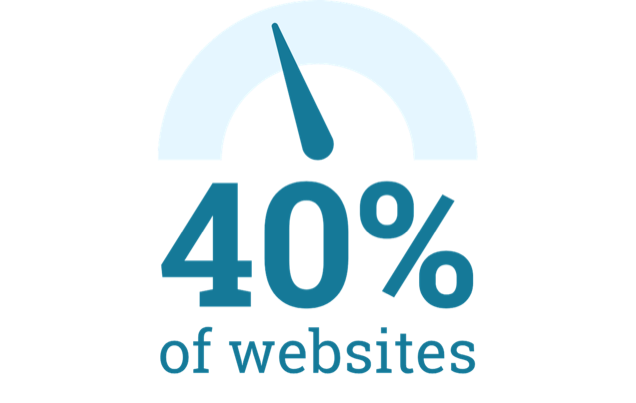
Some estimates suggest WordPress runs more than 40% of websites.1 It’s a very approachable platform and has been a favorite of freelancers, small agencies, and self-taught website developers for many years. The upside is a large pool of affordable services to create a new business website with WordPress.
The downside is service provider turnover. This is usually less of a deal if the service provider is a company and can be a big deal if the site developer is a freelancer or solo agency. In this case, there is likely only one person who handles absolutely everything. They set up the hosting, maybe their credit card pays the fees as part of their service invoice, they set up the DNS for the domain and implement WordPress…and they hold the highest-level access (“super admin”) for both WordPress and the web host.
The main thing to achieve if you’re locked out or partially locked out of your WordPress site is to regain control over the “keys to the site.” For our purposes, we’ll assume you have control over your site’s domain name.

How to regain the keys to your site if you’re locked out depends on your access right now to the person who set it up for you. One of these situations will apply. They are ranked from best to worst.
- The developer can be reached, and they probably will assist you.
Great! Ask them to change everything over so you or someone you designate (preferably someone who’s going to be around) is the account owner for the host and the primary admin for WordPress. At this point, the site can be assessed and can probably be tinkered with enough to operate if it’s not serving pages. - The developer can be reached, but the relationship is over or strained.
If you can negotiate assistance, it may be well worth paying them to hand over the keys. - The developer cannot be reached, BUT you have login access to the host/WordPress.
If you have access to the host and/or WordPress but don’t understand what you’re looking at, the site can probably still be assessed and made to serve pages. - No one knows the login access to the host/WordPress, BUT the site displays pages.
If the site comes up in a browser when the domain is entered, tools can be run that can copy down the site’s pages. From there, the system to serve the pages can be determined and set up. - The site no longer displays pages, and you don’t have a copy or a backup.
You can try the web archive (aka “Internet Wayback Machine”) at web.archive.org. This site contains snapshots of websites and pages. The last snapshot might be a year or so old, but you may see enough of the site to download a version of its pages or jog your memory about what was included.
Contact us for help with any of the above or to help you understand your options if you’re locked out of your WordPress site.
Do some parts of your WordPress site work and others don’t?
Even businesses that have working access run into a second problem: custom code with no documentation and no one left who understands it. This could be a WordPress theme that was modified directly. A developer wrote custom functions into functions.php to handle something the theme couldn’t. A plugin was hand-edited to fix a bug instead of being patched properly. Every one of those decisions may have “worked” at the time, and each one becomes a liability the moment the person who made them is gone.

Even if you never requested that your designer or developer create something custom, you may have undocumented custom code in your WordPress implementation that is causing issues. I heard from a website owner who did request custom functionality (a mapping tool) be developed for their site. It was built and worked for quite a while until one day they couldn’t edit locations. The developer, whose last known whereabouts were on the other side of the world, became unresponsive. This prompted the broken site owner to try and learn PHP in order to fix it themselves.
If some WordPress functions are working in your site and others are not, the best way to bring everything into the light is a code review. Automated tools that scan the site’s codebase provide a quick way to identify potential problem areas that can be inspected.
Contact us for help assessing the code base of a broken or outdated WordPress site.
Has anyone run a security check of your WordPress site and plugins?
OWASP, the nonprofit that maintains the industry’s standard list of the most critical web application security risks, released its updated Top 10 in 2025.2 Broken Access Control holds the #1 spot again. Security Misconfiguration jumped from #5 to #2. And a new category, Software Supply Chain Failures, now covers the full risk of the dependencies a site is built on — not just the code a developer wrote by hand. For a WordPress site, that last category is the whole ballgame. Your “supply chain” is every plugin and theme you’ve ever installed, most of which you didn’t write and probably haven’t audited.
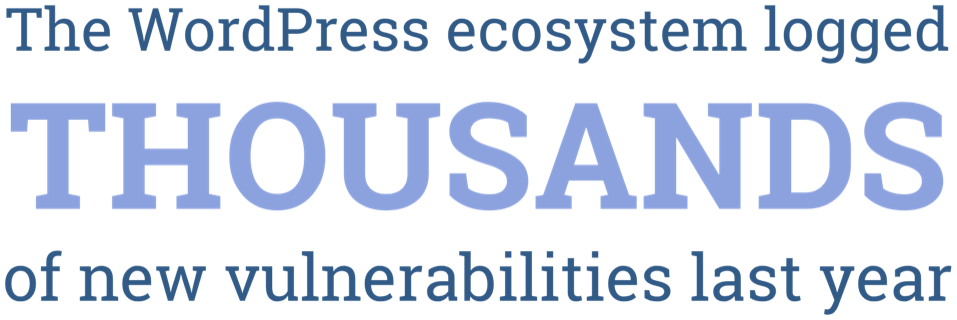
The WordPress ecosystem logged 11,334 new vulnerabilities in 2025, a 42% jump over the year before, and 91% of them were found in plugins rather than WordPress core.3 New plugin vulnerabilities are now disclosed at a rate of more than 250 a week, 43% of them exploitable without needing a login at all, and 23% are still unpatched a full month after becoming public.4 Worse, 46% of vulnerabilities disclosed in 2025 had no fix available from the developer at the moment they were disclosed5 — meaning “update your plugins” isn’t always an option even for a site owner paying close attention.
This doesn’t mean every WordPress site is one bad plugin away from disaster. It underscores that security cannot be a one-time setup step. It’s an ongoing posture, and a site that hasn’t been actively maintained since the person who built it left is very likely carrying exposure its owner has never considered.
Contact us for help running a security audit for your WordPress site and its plug-ins.
How to conduct a rescue so you can move forward
If you’re having problems with your WordPress site, it doesn’t mean that it’s a lost cause. The content, the design work, the integrations your business depends on — a lot of that may be perfectly solid and worth carrying forward. The point of a rescue isn’t to start over. It’s to find out, specifically, what’s broken, what’s a security risk, and what’s already working well enough to keep.
That means checking:
- Site/WordPress control — who holds the hosting account, and WordPress admin access
- Custom code inventory — what’s custom, what’s a stock plugin, and what has zero documentation
- OWASP Security Top 10 exposure — access control, misconfiguration, and plugin/theme supply-chain risk
- Core & plugin update status — how far behind, and what’s abandoned or unsupported by its developer
- What’s worth keeping — content, design, and integrations that are working
- Core web vitals — response time measured against current thresholds
- Accessibility — WCAG standards conformance
- AI agent readiness — is the site structured to welcome traffic and citations from AI agents

Get a WordPress site rescue audit
If your WordPress site is broken or not performing, or you’re concerned about overdue maintenance or security checks, here’s a three-step plan to move forward.
- Get access control to the site and to WordPress
- Do a code review of what exists and audit the site’s security
- Make a plan to fix what is needed to turn the site into a solid, supported asset
Contact us for help with any of these areas or to request a WordPress Site Rescue Audit.
About Presentek
Presentek has been helping businesses design and build better online experiences for more than 25 years. If this post raised questions about your own site, here are the services most relevant to what was covered.
Web and Application Development
Website development, modernization, security and performance, and AI-related services — including making AI-coded prototypes production-ready. If the technical gaps described in this post need hands-on fixing, this is the right starting point.
Solution Design & Consulting
If you are thinking about how AI could be incorporated into your website or application — not just accommodated by it — our AI Solution Design service takes you from concept to proof-of-concept to production-ready.
Marketing Services and Sales Enablement
Brand, go-to-market, content, and digital marketing deliverables, plus product launch kits and sales enablement tools. Useful context if your website work is tied to a broader marketing or product initiative.
Related posts
- Presentek website audit services
- Welcoming AI Agents to Your Website — Technical cures for AI invisibility